Runs
The Runs panel
The Runs tab of the bottom panel shows the results of every send and run in the window: Postman sends and runs, Try It sends, and Karate runs. Cmd+Alt+C shows it.
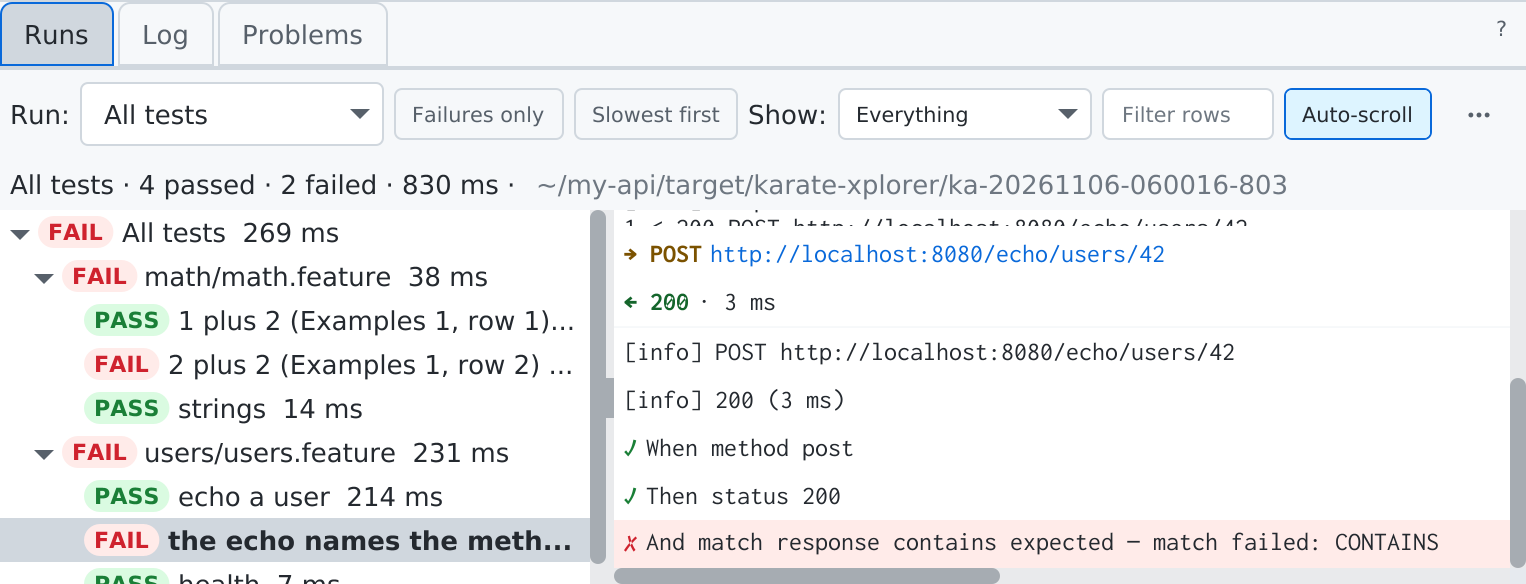
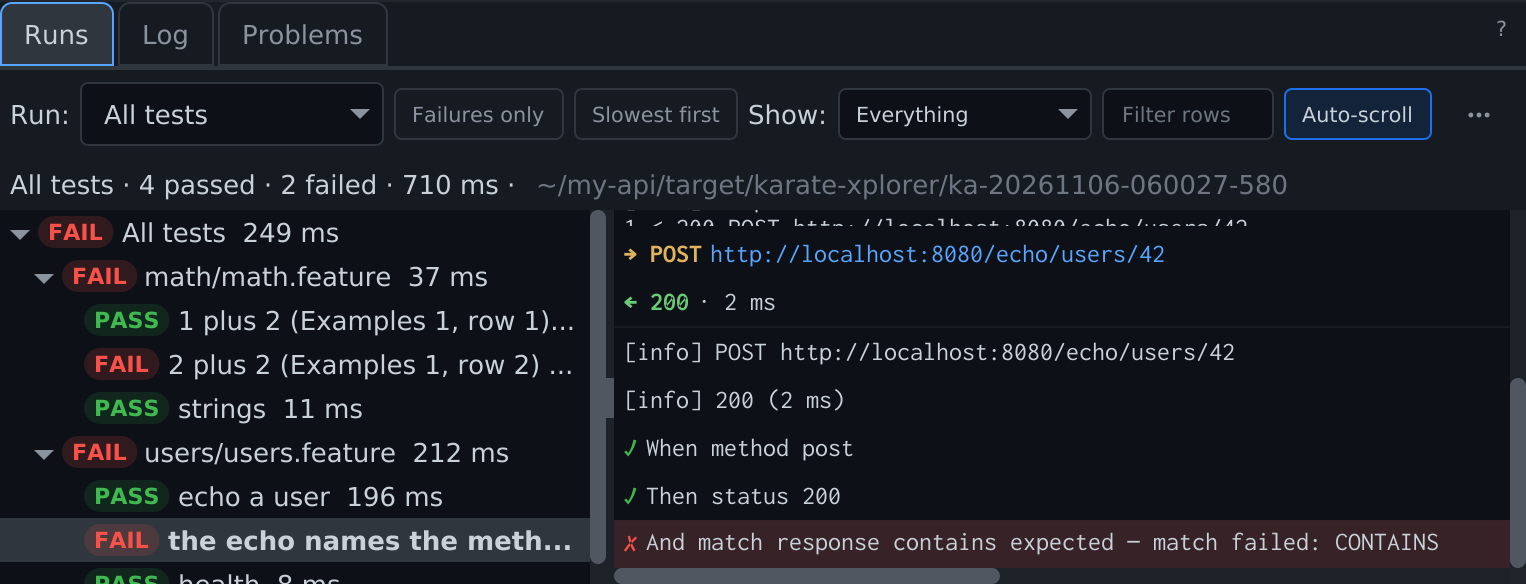
- Run: (top left) — the run selector: this window's last 10 sends and runs, newest first, and in project mode the project's saved runs after them.
- Runner tree (left) — the run's structure with a verdict per node: collection ▸ folder ▸ request, or feature ▸ scenario ▸ example. Failures only keeps the failed and errored requests in the tree and their rows in the console; Slowest first sorts by duration.
- Console (right) — the selected node's rows in order; select the root for every row. Each row leads with its kind in colour: a request's method and a response's status as in the tree, the URL as a link, a test's ✓ or ✗, a warning or error mark. Click a request or response row to open its detail. Auto-scroll keeps the newest row in view; scrolling up turns it off.
- Detail (below the console) — a selected request or response shows its headers as a table and its body as a JSON tree; a test or match shows expected and actual; an error shows its one-line reason with Go to source, which opens the request.
The verdicts in the Collections and Karate trees, the feature editor's gutter and the status bar's Last run all come from Runs.
Rows
| Row | Shows |
|---|---|
| Group | A folder, request, feature or scenario; expands |
| Request · response | Method, URL and data row · status, time and size; expand for headers and body |
| Step | A Karate step: keyword, text, verdict, time |
| Test · match | A pm.test or a Karate match, with expected and actual on failure |
| Console | console.log, Karate print and log lines |
| Warning | Something skipped that does not change the verdict, such as pm.visualizer |
| Error | A request or scenario that could not run |
| Cancelled | The last row of a run you cancelled |
Show: filters by row kind — Everything, Requests, Responses, Tests, Assertions, Console logs, Warnings, Errors or Cancelled — and Filter rows by text. Every toolbar control has a tooltip. F8 and Shift+F8 jump to the next and previous failure.
A response body over 256 KB shows its first 256 KB with Open full body.
Verdicts
| Verdict | Means |
|---|---|
| passed | Every check held |
| failed | An assertion did not hold: pm.test, match, assert or status |
| errored | It could not run: connection, DNS, timeout, certificate, a script or syntax error, a missing called feature or read() file |
| not checked | A Postman request with no tests, or skipped; the reason is shown |
| not supported | A Postman test or API Xplorer does not support yet, with Report this |
| skipped · cancelled · not run | As named |
The run header counts them: 12 passed · 3 failed · 25 errored. When most errors share one cause, a banner says so — for example 25 scenarios could not reach api.qa.example.com (connection refused). Check the env or the server before filing failures.
Copy failure
Copy failure (free, wherever a failure shows) copies a Markdown summary to paste into an issue or a chat: the name and file:line, env, tags, the failing step, the last HTTP exchange (bodies cut at 4 KB) and expected versus actual. Secrets are masked.
Actions
| On | Actions |
|---|---|
| Any run | Copy (as text), Collapse all, Clear (the run's rows) |
| A Postman run | Run Again, with the same Run options |
| A Karate run | Re-run ★, Re-run failed ★, Re-run not run ★, Open report, Reveal report, Copy command |
Actions that do not fit move into the ⋯ menu, then Auto-scroll, Slowest first and Failures only as check items. A send is not kept beyond the window and has no Run options; send it again from its tab.
Run history
In project mode, Postman folder and collection runs and Karate runs are saved to the project, each in its own folder under target/karate-xplorer/ (build/karate-xplorer/ for Gradle):
- a Postman run keeps every row (secrets masked), Postman's own per-request record, and a summary;
- a Karate run keeps Karate's HTML report, every event and a summary.
Saved runs appear in the run selector after the window's own, newest first, and reopen read-only — same tree, rows and verdicts, no Run Again or Clear. A run that was interrupted reopens marked incomplete. Karate verdicts in the tree survive a restart from these summaries.
The newest Runs kept runs of each kind are kept per project (default 10, in Settings); older folders are deleted. Sends and Try It sends are never saved. In file mode nothing is saved.