Karate Export
Export Postman collections to Karate feature files for API test automation.
Quick Start
- Open a Postman collection file (or drag and drop)
- Select the collection root in the tree
- Click Export in the right toolbar
- Change export type to Karate
- Click Save to Folder
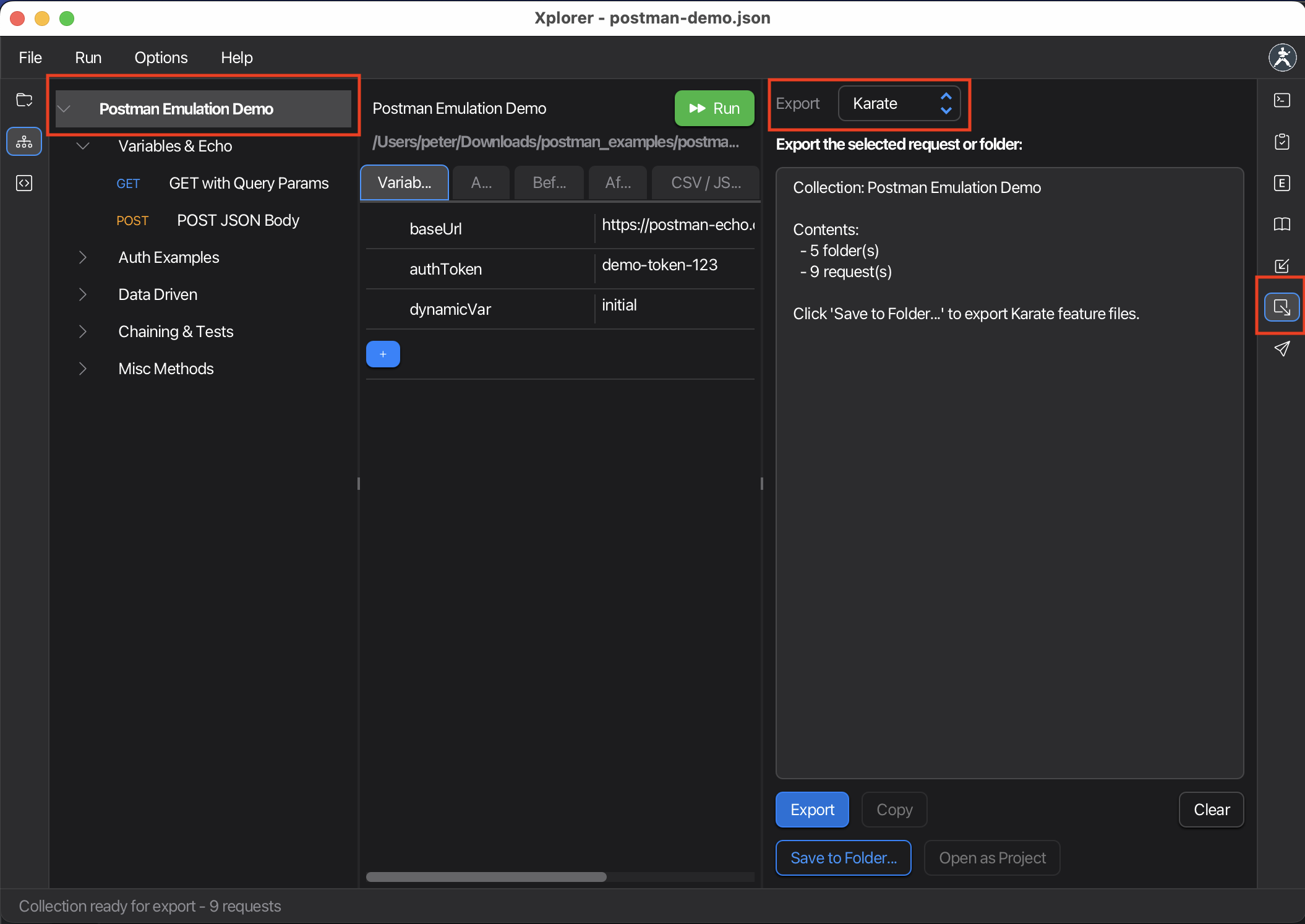
The converter generates Karate feature files with:
karate-config.jswith collection variables- Feature files for each folder
- Converted test scripts (
pm.test→ Karate assertions) - Auth configuration (
* configure auth)
Exporting Selected Requests
You can also export a single request or folder instead of the entire collection:
- Select any request or folder in the tree
- Click Export → Karate
- Only the selected item (and its children) will be exported
What Gets Converted
| Postman | Karate |
|---|---|
| Collection variables | karate-config.js |
| Folders | Feature files |
| Requests | Scenario steps |
pm.test() assertions | match / assert statements |
pm.environment.set() | * def variables |
| Basic/Bearer/OAuth2 auth | * configure auth |
| Query params, headers | param, header keywords |
| JSON body | request keyword |
| Form data | form field / multipart |
Next Steps
- Karate Runner — Run Karate tests in Xplorer
- cURL Export — Export as cURL commands