Troubleshooting
When something fails, Xplorer shows one plain line saying what went wrong, and logs the full detail.
The Log panel
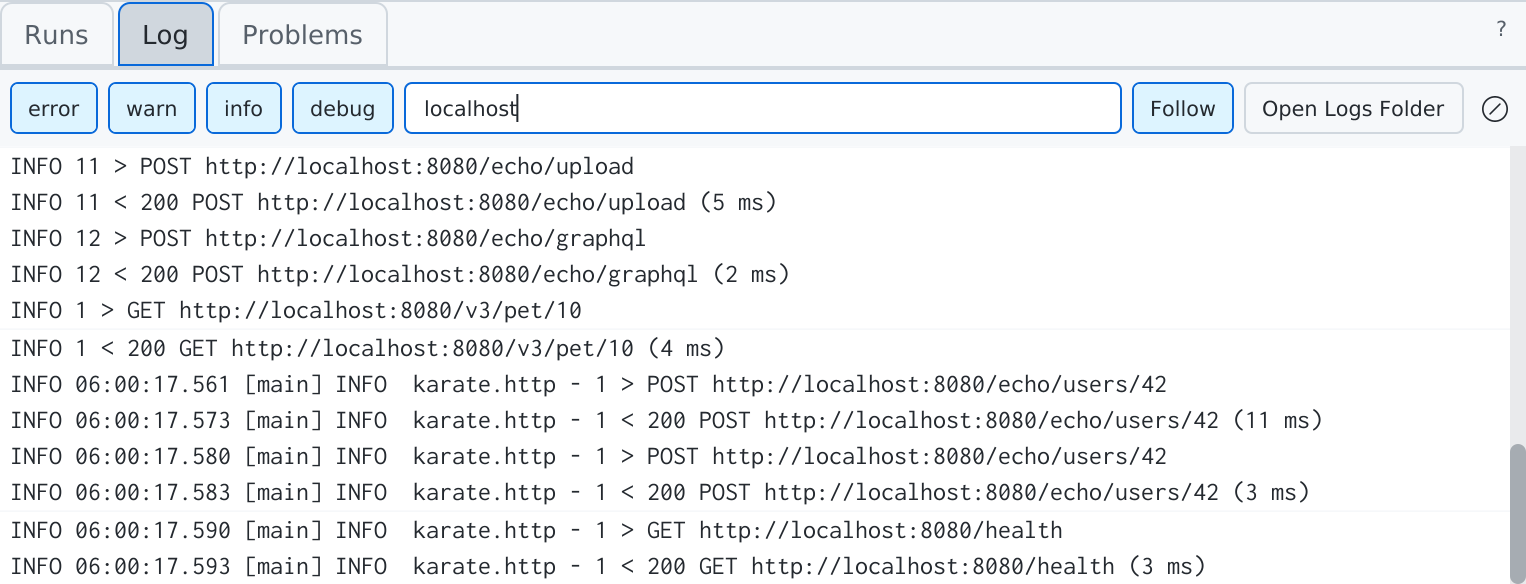
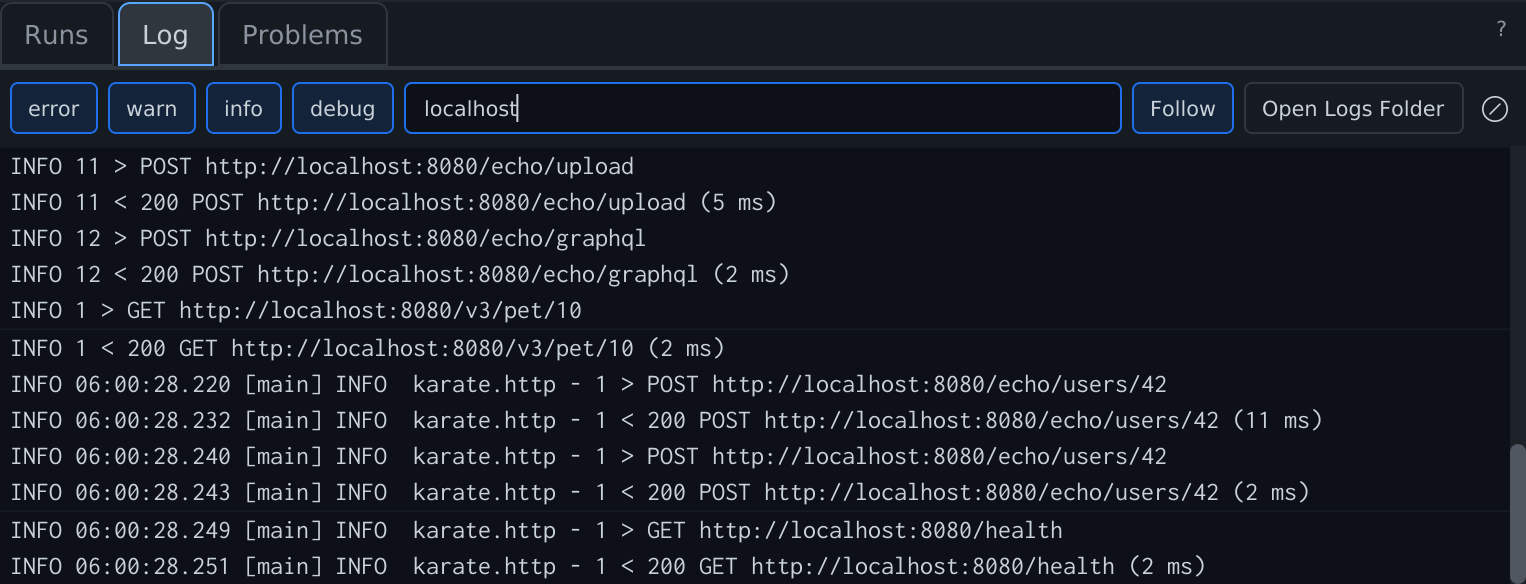
The Log tab of the bottom panel shows Xplorer's log as it happens:
- Level chips — error, warn, info, debug.
- Search and Follow (keep the newest line in view).
- A run filter — a Karate run's own output (its stdout, stderr and log lines) under
run:and the run id. - Clear Log hides the lines so far behind a Cleared at marker; the log file keeps them.
- A line repeated many times shows once with its count, (×n).
Secrets are masked in the log.
Log files
Help ▸ Open Logs Folder opens the folder holding app.log:
| System | Folder |
|---|---|
| macOS | ~/Library/Logs/KarateLabs/Xplorer/ |
| Windows | %LOCALAPPDATA%\KarateLabs\Xplorer\logs\ |
| Linux | ~/.local/share/KarateLabs/Xplorer/logs/ |
Report this
Wherever Xplorer cannot open or run something — a refused file, a spec or feature that does not parse, an auth type or script API not supported yet — it offers Report this. It opens a GitHub issue prefilled with the app version, your OS, the error line and the file's shape: format version, counts of folders, requests, operations or scenarios, auth types and script events. Never your file's contents, names, URLs or values. You see the text before you submit it.
An unexpected internal error shows as a notice, Xplorer hit an internal error…, with Show Log and Report this.
Help ▸ Report an Issue opens a blank issue with your app version and OS. Logs are never attached; add what helps from Open Logs Folder.
SSL certificates and proxies
Verify SSL certificates
By default, Postman sends and Try It accept any server certificate, as Xplorer 2.3 and Postman's default do, so self-signed test servers just work.
Turn on Verify SSL certificates in Settings (Cmd+,) to check certificates and host names against the trusted roots below. A Postman request's Settings tab can turn SSL verification on or off for that request.
Xplorer's own connections — Open URL, loading an external $ref, the update check and license sign-in — always verify certificates.
Which roots are trusted
Xplorer trusts Java's built-in roots plus your operating system's:
| System | Trusted stores |
|---|---|
| Windows | The user's and the machine's Trusted Root Certification Authorities, so roots pushed by Group Policy or Active Directory count |
| macOS | The system roots and the keychains, where an admin or MDM installs a company root, such as a TLS-inspecting proxy's |
| Linux | Java's built-in roots only |
If a company server or proxy is not trusted, ask IT to install the company's root CA certificate in the store above (on Windows, Trusted Root Certification Authorities; on macOS, the System keychain, marked trusted for SSL). The certificate report names the issuer to ask for.
Missing intermediate certificates
Some servers send their own certificate without the intermediate that links it to a root. Like browsers and Windows, Xplorer then downloads the intermediate from the URL the certificate names (its Authority Information Access, or AIA, address), from any location.
A downloaded certificate grants no trust by itself: the chain must still end at a trusted root, so a bad download fails verification as it would without it. What remains is one GET request to a URL named in the server's certificate.
To restrict it, an admin edits the java-options= lines in the installed app's options file:
| System | File |
|---|---|
| macOS | /Applications/Xplorer.app/Contents/app/Xplorer.cfg |
| Windows | C:\Program Files\Xplorer\app\Xplorer.cfg (or the folder chosen at install) |
| Linux | /opt/xplorer/lib/app/Xplorer.cfg |
- Allow only some locations: replace
anyinjava-options=-Dcom.sun.security.allowedAIALocations=anywith space-separated URLs, such ashttp://crt.example.com/ http://pki.example.com/certs/. Scheme, host and port must match; a path ending in/allows everything under it. - Turn downloads off: change
-Dcom.sun.security.enableAIAcaIssuers=truetofalse.
An update replaces this file, so reapply the change after updating. The certificate report shows what is in effect (Missing intermediates fetched (AIA)).
Proxies
Use system proxy in Settings is on by default: requests, Try It and Xplorer's own connections follow your OS proxy settings and bypass list, including an automatic setup script (PAC) and, on Windows, automatic detection (WPAD). Turn it off to connect directly. A Karate feature's configure proxy still applies, and Karate runs use the project's own JVM settings.
- A proxy that asks for a username and password (Basic or Digest): Xplorer asks once, keeps them in memory until you quit, and sends again.
- NTLM or Negotiate (Kerberos) proxies are not answered yet. Point your system proxy at a local relay that signs in for you, such as Px.
The certificate report and Test SSL Connection show the proxy in effect for the host.
Test SSL Connection
Help ▸ Test SSL Connection… checks one server without sending a request: enter an https URL (the active request's is filled in) and click Test. It verifies as a send does with Verify SSL certificates on, through the same proxy. The result says the certificate is trusted and by which store, or what is wrong — untrusted, expired, issued for another name, unknown host, refused, timed out — and the next step, with the certificate report under Details.
Certificate diagnostics
When a send fails on a certificate, the response offers Certificate diagnostics. The report holds:
- The error and the next step: renew an expired certificate, use one of the names the certificate is for, or install the untrusted issuer in the named OS store.
- The host, the proxy in effect, and whether SSL verification was on.
- The certificate chain the server sent, with each certificate's SHA-256 fingerprint, and which trust store holds its issuer.
- Xplorer, Java and OS versions, the trust stores and how many roots each holds, and whether missing intermediates are fetched.
- The cause chain, one line each.
Use Copy to send it to IT or support. It is not posted with Report this, as it names internal hosts, proxies and CAs.
Common problems
| Symptom | Try |
|---|---|
| 25 requests could not reach a host | The banner in Runs names the cause. Check the selected environment and that the server is up. |
A {{variable}} is red | It does not resolve: select an environment, or check its name in the Variables pane. |
| A Postman script line warns not supported | Use Report this on the warning; the rest of the script runs. |
| A collection opens with read-only items | Those items use something Xplorer cannot edit yet; they are kept exactly as written. |
| A Karate run refuses to start | The run's error row says why: no Maven or Gradle found, no JDK 21, Karate 1.x, or no karate-core on the test class path. |
A Karate build project runs differently from mvn test | Xplorer runs Karate's runner on your test class path, without Surefire settings. Use Copy Run Command for the build-tool run. |
| A spec from a URL will not open | If it needs a login, download it and open the file. |